Basic Computer Courses
CERTIFICATE IN OFFICE AUTOMATION
The Computer Office Automation (COA) course is designed to help students learn essential computer skills used in schools, offices, and everyday digital work. This beginner-friendly program introduces...
Duration: 2 Months / 40 hrs
Certificate: ISO Certified
₹6,500
About This Course
Course Overview
Course Description
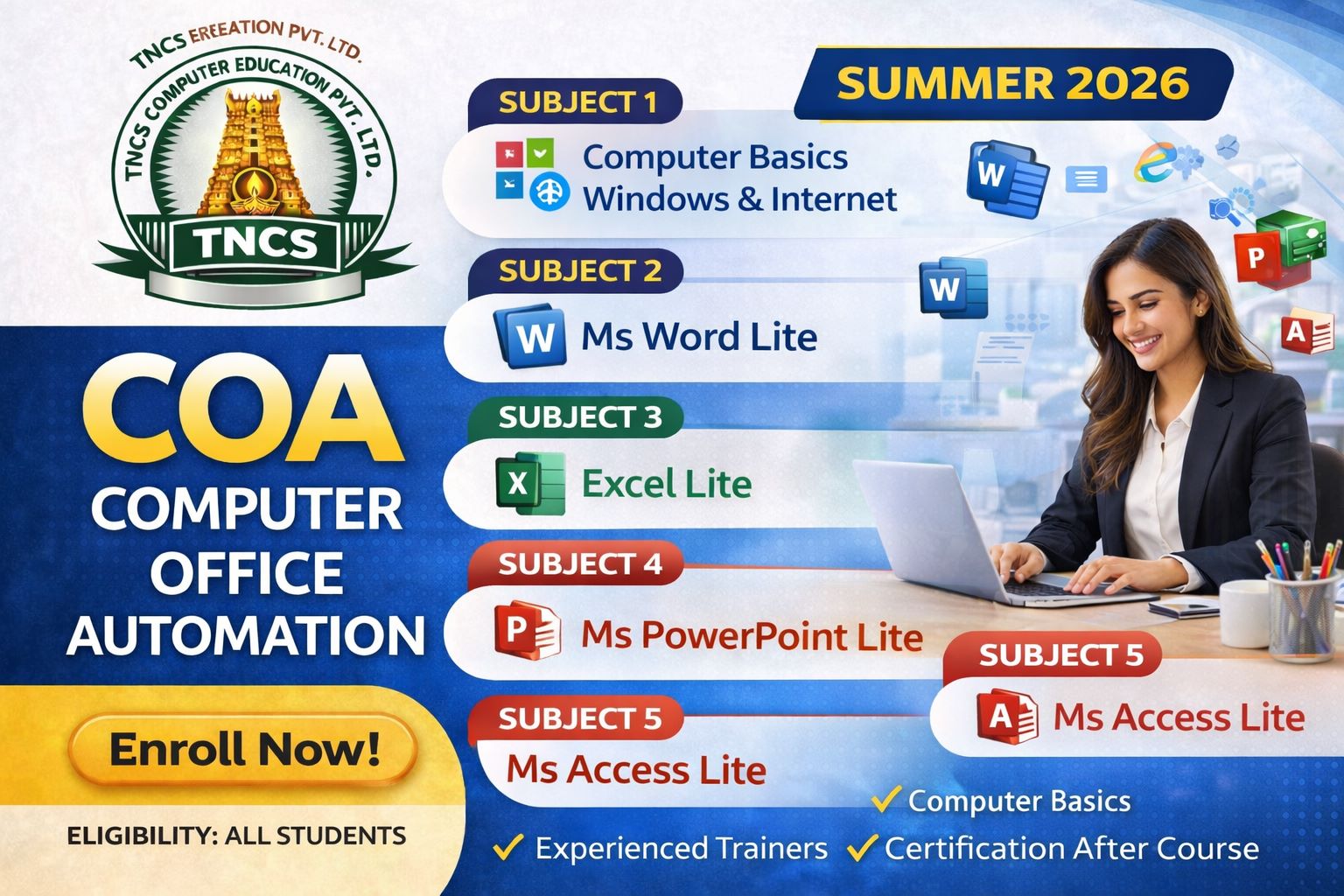
The Computer Office Automation (COA) course is designed to help students learn essential computer skills used in schools, offices, and everyday digital work. This beginner-friendly program introduces students to the fundamentals of computers, internet usage, and important Microsoft Office applications.
The course starts with Computer Basics, Windows Operating System, and Internet usage, helping students understand how computers work and how to manage files, folders, and online resources.
Students will then learn MS Word Lite, which focuses on creating and editing documents such as letters, assignments, and reports.
The Excel Lite module introduces spreadsheet basics, enabling students to organize data, perform simple calculations, and create basic charts.
The MS PowerPoint Lite module teaches students how to create attractive presentations using slides, images, and animations.
Finally, the MS Access Lite module introduces students to basic database concepts, helping them understand how to store and manage information efficiently.
This course is ideal for beginners who want to improve their computer skills and become confident in using office software for academic and professional purposes.
Syllabus
Course Curriculum
01
Computer Basics, Windows lite
- Introduction to Computers
- Types of Computers
- Input and Output Devices
- Input and Output Devices
- Introduction to Windows
- Desktop, Icons, and Taskbar
- File and Folder Management
- File and Folder Management
- Introduction to Internet
- Introduction to Internet
- Email Creation and Usage
- Email Creation and Usage
02
MS Word Lite
- Introduction to Word Processing
- MS Word Interface
- MS Word Interface
- Editing Text
- Font Formatting
- Paragraph Formatting
- Paragraph Formatting
- Page Setup
- Page Setup
- Printing Documents
03
Printing Documents
- Introduction to Spreadsheets
- Excel Interface
- Workbook and Worksheet
- Workbook and Worksheet
- Data Entry and Editing
- Cell Formatting
- Sorting and Filtering Data
- Sorting and Filtering Data
- Printing Worksheets
04
MS PowerPoint Lite
- MS PowerPoint Lite
- Creating Slides
- Slide Layouts
- Themes and Design
- Adding Text and Images
- Slide Transitions
- Simple Animations
- Running a Slide Show
05
MS Access Lite
- Introduction to Databases
- MS Access Interface
- Creating Tables
- Adding and Editing Data
- Simple Queries
- Creating Basic Forms
- Generating Reports
Career Paths
Career Opportunities
Computer Operator
Data Entry Executive
Office Assistant
IT Support Specialist
Web Developer
Software Trainee
Eligibility & Requirements
All Students
More Courses
More at TNCS COMPUTER EDUCATION - PERUMANALLUR
Explore other courses offered at this center
Ready to Start Learning?
Join TNCS COMPUTER EDUCATION - PERUMANALLUR and kickstart your career today.